On this page
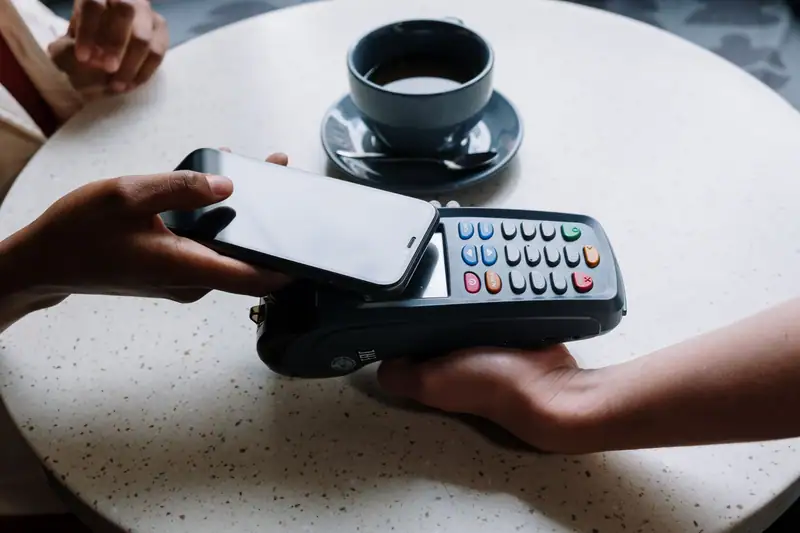
The quickest way to buy crypto with a card in South Africa is to verify your account on a South African exchange such as Luno or VALR, then pay in rand with your debit or credit card when you’re ready to buy. There is no deposit to wait for and no reference number to get wrong: the coins land in seconds. You pay for the speed, though. Both charge 3.9% on card purchases, against nothing for an EFT. Offshore exchanges are a different story: Reserve Bank rules say South African cards may not be used to fund foreign crypto trading accounts at all.
This page breaks down what a card purchase really costs, why debit beats credit, why the card route stops at the border, why cards get declined, and where Apple Pay, Google Pay and PayPal fit. All fees were checked on the exchanges’ own help pages on 17 November 2026.
The 10-minute route
If your ID and a selfie are to hand, a first card purchase can be done in about ten minutes, most of it spent on the identity check, which you only do once.
-
Verify your account
Upload your ID and take a selfie: this is FICA, and every legitimate platform asks for it. On Luno you need to go past Level 1, because Level 1 accounts can only deposit by bank transfer.
-
Check your card settings
Open your banking app and make sure online card payments are switched on and that you can approve 3-D Secure prompts on your phone. VALR only takes 3-D Secure enabled cards.
-
Add the card and get a quote
Choose Buy, pick the coin, select debit or credit card and enter the amount. The quote shows the fee and how much crypto you’ll get. Luno lets you save two cards.
-
Approve the payment
Confirm the purchase and approve the 3-D Secure prompt in your banking app or with the one-time PIN. The coins usually arrive within seconds.
-
Save the receipt
Keep the confirmation with the date, the rand amount and the coins received. When you sell, SARS will want that cost price.
Our Bitcoin buying guide walks through the same route for BTC specifically, including where to keep the coins afterwards.
What a card purchase really costs
The headline fee is only part of the cost, but on a South African exchange it is most of it: you pay in rand, so there is no currency conversion and no foreign-transaction fee from your bank. Offshore exchanges don’t appear here as a card option, because the Reserve Bank’s rules bar South African cards from funding them (more on that below).
| Where | Card fee | Limits | Watch out for |
|---|---|---|---|
| Luno card buy | 3.9% (min R15) | R30,000 a transaction | Not available with Absa cards |
| Luno Apple Pay deposit | 2.5% | R50 to R30,000 | Then a trading fee to buy |
| VALR via Payfast or PayGate | 3.9% | R20,000 a day, rolling | Card must be 3-D Secure enabled |
| VALR via Checkout.com | 3.5% + 1.6% conversion | Not stated | Most SA cards not supported |
| Offshore exchanges | Not an option | SA cards barred by SARB rules | Banks may decline the payment |
Card routes we could confirm on official pages, 17 Nov 2026.
Put into rand, a R1,000 card purchase on Luno costs R39, so you get R961 worth of crypto. If you’d paid by free EFT and bought on Luno’s exchange at the entry-level taker fee of 0.60%, the cost would have been R6. On R10,000 the gap grows to R390 against R60. Cards make sense for a first purchase or when speed matters; for regular buying, an EFT or a bank Pay button is far cheaper. Our guide to ZAR deposits compares every rand route.
What card buying costs over a year
The gap matters most for people who buy every month. Take an illustrative Durban nurse who puts R1,000 into bitcoin each payday on Luno. Paying by card, she loses R39 a month to the 3.9% fee: R468 a year. An Apple Pay deposit at 2.5% (R25) followed by an exchange order at the 0.60% taker fee (R6) comes to R31 a month, or R372 a year. Capitec Pay at 1.25% (R12.50) plus the same R6 order is R18.50 a month, R222 a year. A free EFT plus the R6 order is R72 a year.
So the card costs her R396 a year more than an EFT for exactly the same bitcoin, roughly two-fifths of a month’s purchase. If she banks with Capitec and can plan ahead, one R3,000 Capitec Pay deposit every quarter costs a flat R9, which brings her yearly total to R108 (four deposits at R9 plus twelve R6 orders). Speed is worth paying for once; it is rarely worth paying for every month.
Want coins the local exchanges don't list?
Our top-rated exchange lists about 300 coins, plus savings and staking. South Africans fund it with USDT or BTC bought in rand on a local exchange and sent across.
Compare EFT and Capitec PayOur #1 pick · US FinCEN MSB · NMLS 1804170 · UK FCA reg. FRN 1007192
Debit vs credit card
A debit card spends money you already have. There’s no interest and no surprise on the statement: on a local exchange you see the rand amount you were quoted, fee included.
A credit card is where people get caught. Standard Bank’s credit card FAQ is a useful example of how South African banks think: its 55-day interest-free period applies only to purchases, while “cash transactions”, which it says include electronic transfers, online gambling, casino chips and purchases of foreign exchange, attract interest from the day they’re made. It doesn’t mention crypto either way, and most banks don’t publish their position at all. Before you buy crypto on credit, ask your bank how the transaction will be coded, or check your first statement for a cash fee or cash interest.
There’s also a simpler argument. Crypto prices can drop sharply within days, and buying a volatile asset with borrowed money at credit card interest rates means you can lose on the price and pay interest on the loss.
Paying in rand vs paying in dollars
On Luno and VALR you’re charged in rand: the amount on your statement is the rand amount you were quoted, fee included. The one currency wrinkle on a local exchange is VALR’s Checkout.com route, which adds a 1.6% conversion fee to its 3.5% card fee, and VALR says most South African cards fail there anyway.
Offshore exchanges bill in dollars or euros, and with them the question isn’t the exchange rate but whether you may pay by card at all. The Reserve Bank’s answer is no: South African cards may not be used to fund international crypto trading accounts. That covers every offshore platform, from Binance and Bybit’s global site to Kraken, Crypto.com and our top-rated exchange.
Most card guides skip this part, so here is the rule in the Reserve Bank’s own words.
The SARB’s Currency and Exchanges Manual for Authorised Dealers (version dated 8 October 2026) lets residents pay for small permissible foreign transactions, such as imports bought online, by card, up to R100,000 a transaction. Section B.16(E)(v) then adds: “Cardholders should note that South African credit, debit and virtual cards may not be used to fund any international trading accounts, including crypto assets trading accounts.”
Section B.2(q) repeats the ban for private individuals and says online international trading accounts include trading “commodities including crypto assets”. Under B.2(p), individuals may fund such accounts only within their single discretionary or foreign capital allowance, with the bank converting the rand and sending it by EFT. Card purchases in rand on a South African exchange are not affected.
Our top-rated exchange, CEX.IO, shows why the funding route matters more than the brand. It is licensed abroad (a FinCEN money services business with NMLS ID 1804170 in the US, and an FCA cryptoasset registration, FRN 1007192, in the UK), has operated since 2013, lists about 300 coins and offers savings and staking to South African residents. Its help centre lists Visa and Mastercard among its payment methods worldwide, but for someone living in South Africa a South African card is not the route. South Africans typically fund it by buying USDT or BTC in rand on a local exchange and sending the coins across, with the travel rule details the sending exchange asks for. It has no FSCA licence and no rand wallet; our CEX.IO review covers the full picture.
In practice, banks apply these rules. In July 2021 FNB told clients that international card transactions to buy crypto would be declined, citing exchange control, and pointed them to a foreign-exchange transfer within their allowances instead. We couldn’t confirm how every bank screens these payments today, but the rule itself leaves no grey area: don’t pay an offshore exchange with a South African card, even if the checkout page accepts it. Sending crypto you bought in rand to an offshore account is the usual route instead; the 2026 draft exchange control rules would count such transfers against your SDA, though they are drafts, not law. To move money itself offshore, use your allowance through the bank. Our guide to exchange control and crypto explains the allowances and the draft cross-border crypto rules published for comment on 17 April 2026 and 31 July 2026.
Why cards get declined
A declined card is rarely the exchange’s fault. Work through the usual suspects:
- 3-D Secure didn’t complete. You must approve the prompt in your banking app or enter the OTP before it times out. VALR won’t take cards without 3-D Secure.
- Online or international payments are switched off in your banking app’s card settings.
- Your bank restricts crypto purchases. Luno says Absa has restricted crypto-related payments by card, so Absa cards can’t be used to buy on Luno.
- Exchange control. Card payments to offshore crypto platforms fall under the Reserve Bank’s card ban described above, and banks may decline them.
- A limit was hit. Luno caps card buys at R30,000 a transaction, VALR at R20,000 a day, and your bank has its own online limit. Luno also blocks instant payment methods on Level 1 accounts.
- The route doesn’t take South African cards. VALR says MoonPay doesn’t support South African-issued cards and that most local cards fail on its Checkout.com route.
- The name doesn’t match. VALR asks that card deposits come from an account in your own name.
If a card payment fails on VALR, the money is released when the authorisation hold on your card expires; how long that takes depends on your bank. Don’t keep retrying with different amounts: call your bank, ask why the payment was declined and whether it will allow it.
What to do if a card purchase goes wrong
You were charged, but no coins arrived. Check the transaction history in the exchange app first; a purchase that went through shows there with the coin amount. If it doesn’t, keep the bank’s transaction record (date, amount and the merchant name on your statement) and send it to the exchange’s support. A pending amount on a failed payment is usually an authorisation hold rather than a charge, so give it the time your bank says before you dispute it.
There’s a crypto purchase on your statement you didn’t make. Treat it as card fraud: stop the card in your banking app straight away and phone your bank on the number printed on the back of the card to dispute the transaction. Then change the passwords on any exchange account you hold and check its login history.
“Your bank” phones about it first. Hang up and call back on the official number yourself. In Wessels v Petrus scammers posing as Capitec’s fraud department used the remote-access app AnyDesk on a 67-year-old pensioner, opened a Binance account in her name without her knowledge and moved R960,960 out of her account in 23 payments. Treat any caller who asks you to install such an app, or to move money ‘to keep it safe’, as a scammer. If you suspect an exchange account was opened in your name, report it to that exchange and your bank, and open a case at your police station.
Apple Pay, Google Pay and PayPal
Apple Pay is the cheapest card-style route we found. Luno takes Apple Pay deposits from verified South African accounts on supported Apple devices for 2.5%, from R50 to R30,000, against 3.9% for a card purchase. The money usually reflects immediately but can take up to 24 hours, and you then buy on the exchange, ideally through the order book rather than the 2% instant buy button.
Google Pay is thinner on the ground. VALR offers Apple Pay and Google Pay through Checkout.com at 3.5% plus 1.6% conversion, and warns that most South African cards don’t work there. Crypto.com’s help centre lists South Africa for Google Pay crypto purchases, but Crypto.com is an offshore platform with no FSCA licence, and a phone-wallet payment still draws on your South African card, so the SARB card rule applies. The same goes for CEX.IO, which lists Apple Pay and Google Pay among its payment methods worldwide.
PayPal is the one people ask about most, and the honest answer is that we found no way to buy crypto with PayPal in South Africa on 17 November 2026. PayPal rolls out its crypto services country by country. When it announced its dollar stablecoin, PayPal USD (PYUSD), in 70 markets on 17 March 2026, the countries it named didn’t include South Africa, and PayPal’s South African help pages couldn’t be opened for our checks. VALR once listed a PYUSD/ZAR pair, but its public API showed the pair inactive on 17 November 2026.
When a card is the wrong tool
A card purchase isn’t for regular monthly buying, as the sums above show, and it isn’t the way to fund an offshore platform at all. For that, buy USDT or BTC in rand on a South African exchange and send it across. Luno, for example, sends only to platforms on its approved travel-rule list, and that list for South African customers includes CEX.IO, Bybit, Kraken and OKX.
Above all, a card is the wrong tool when someone else tells you to use it. A common pattern runs like this: an advert or social-media “account manager” promises trading profits, then walks you through buying crypto with your card on a local exchange and sending it to a “platform” they control. Once the coins leave your account, they are gone. The FSCA has warned about deepfake adverts using well-known South Africans such as Patrice Motsepe, and on 9 December 2025 it fined the trading platform Banxso and its directors R2 billion over scams driven by fake celebrity adverts. If anyone other than you chooses where your coins go, stop. Our guide to crypto scams in South Africa lists the other warning signs.
Card vs EFT vs P2P
Cards win on speed and lose on cost. Here is how they compare with the other ways to buy, using Luno and VALR fees and our P2P price snapshot from 17 November 2026.
| Route | Speed | Cost on R5,000 | Main risk | Best for |
|---|---|---|---|---|
| Card (Luno or VALR) | Seconds | R195 (3.9%) | Credit card interest, declines | First small purchase |
| Capitec Pay or Absa Pay (Luno) | Minutes | R9 or R70 | Only for Capitec or Absa clients | Quick top-ups |
| EFT | Minutes to 2 business days | R0 (Luno, VALR) | Wrong reference delays | Larger, planned buys |
| P2P (Binance) | Depends on the seller | About R105 (2.1% above VALR) | Fraud, frozen accounts | When nothing else works |
If you bank with FNB, there’s a fifth option: since 6 October 2026 FNB clients can buy Bitcoin, Ether, XRP, Solana and USDT from R10 inside the FNB app, run by VALR, without a card purchase at all. The catch is that the coins can’t be moved out of the app.
For most people, the sensible pattern is a card for the first small purchase on a local exchange, then an EFT or a bank Pay button such as Capitec Pay for everything after that. If you later want a coin only an offshore platform lists, buy USDT in rand locally and send it across rather than reaching for your card. Whichever route you choose, check the platform first: our list of the top 10 crypto exchanges in South Africa gives licence numbers and fees, and our main guide on how to buy crypto in South Africa covers the whole process.
Ready to widen your coin list?
Buy USDT or BTC in rand at home, then send it to our top-rated exchange for about 300 coins, savings and staking. Keep every receipt for SARS.
Compare all 10 firstOur #1 pick · US FinCEN MSB · NMLS 1804170 · UK FCA reg. FRN 1007192
Frequently asked questions
Can I buy crypto with a credit card in South Africa?
Can I buy crypto with PayPal in South Africa?
Why was my card declined when buying crypto?
Is a crypto card purchase treated as a cash advance?
What is the quickest way to buy crypto in South Africa?
What should I do if there's a crypto purchase on my card that I didn't make?
Can I use Apple Pay or Google Pay to buy crypto in South Africa?
Sources we checked
- ↗Luno — How do I buy crypto with my debit or credit card in South Africa?
- ↗Luno — How to make an instant deposit using Apple Pay
- ↗Luno — How do I deposit using Absa Pay? (Absa card restriction)
- ↗VALR — Buying crypto with South African credit or debit cards
- ↗VALR — Buying crypto with MoonPay
- ↗SARB — Currency and Exchanges Manual for Authorised Dealers (sections B.2 and B.16)
- ↗Standard Bank — Credit card FAQs
- ↗CEX.IO — Payment methods
- ↗PayPal — PayPal brings PayPal USD to users across 70 markets (17 Mar 2026)
- ↗Crypto.com — Google Pay for crypto purchases
- ↗VALR — public API trading pairs
- ↗Stuff — FNB declines international card crypto purchases (15 Jul 2021)
- ↗Luno — Fees and limits in South Africa (Apple Pay, Capitec Pay, exchange fees)
- ↗Luno — Approved CASPs in South Africa (travel rule)
- ↗Moonstone — Wessels v Petrus: pensioner's Binance P2P fraud claim
- ↗Moonstone — FSCA warns of deepfake fraud featuring Patrice Motsepe
- ↗Daily Maverick — FSCA's R2bn penalties against Banxso (9 Dec 2025)
Risk note: crypto prices can fall sharply and you can lose all the money you put in. This page is general information, not financial or tax advice. Fees, limits and licences change; check them on the provider’s site and the FSCA register before you act.