On this page
- Quick picks: the best app to buy crypto in South Africa for each need
- Comparison table
- Best for first purchase
- Best for low fees
- Small monthly buys: where flat fees bite
- Best for paying in shops
- Best inside a banking app
- When a banking app is the wrong choice
- App security settings you should switch on
- If your phone is lost or stolen
- What to check before installing
- FAQ
The best app to buy crypto in South Africa is the one that fits how you pay and what you want to hold. If you want about 300 coins plus savings and staking, our top pick is the CEX.IO app: licensed in the US and UK and open to South Africans, but with no FSCA licence and no rand wallet, so you fund it with crypto bought in rand on a local app. If you want free EFT deposits, free rand withdrawals and low trading fees, VALR and Luno are the two local apps to compare. And if you’d rather not install anything new, FNB and Discovery Bank clients can now buy crypto inside their banking apps.
We compared the apps on what you can verify: the licence behind each one, how rand gets in from your phone, what the one-tap buy button costs against the exchange screen, and whether you can pay at a till. We checked official fee pages and App Store listings on 17 November 2026, and where a feature isn’t documented by the company itself, we don’t claim it.
Quick picks: the best app to buy crypto in South Africa for each need
Comparison table
| App | Licence | Rand in on your phone | Cheapest way to buy | Pay in shops |
|---|---|---|---|---|
| CEX.IO | US NMLS 1804170, UK FCA; no FSCA | No rand: send USDT or BTC from a local app | Fees not verified | CEX.IO Card paused since 3 Feb 2026 |
| VALR | FSP 53308 | Free EFT; card 3.9% | 0.18% maker / 0.35% taker | VALR Pay |
| Luno | FSP 53314 | Free EFT; Capitec Pay R9 over R1,000 | 0.40% / 0.60%; USDT/ZAR 0.20% taker | Luno Pay, free |
| AltCoinTrader | FSP 53614 | EFT, Capitec Pay, Absa Pay: 0.5% (max R95) | Not verified | Via MoneyBadger |
| Altify | FSP 53289 | Bank deposit 0.50% | 0.50% per trade, min R10 | Not a MoneyBadger wallet |
| Bybit | FSP 55680 | Instant EFT through Ozow | Not verified | Bybit Pay via MoneyBadger |
| Binance | FSP 53694 “processing” | Mostly P2P | Not verified | Binance Pay via MoneyBadger |
| FNB app | Runs on VALR (FSP 53308) | Straight from your FNB account | Fees not published at launch | Coins can’t leave the app |
| Discovery Bank app | Links to Luno (FSP 53314) | Instant free transfer to Luno | Luno’s fees | Via Luno |
Official fee pages and FSCA register, checked 17 Nov 2026. 'Not verified' means we could not confirm the fee on an official page.
Those are the crypto apps that work in South Africa, and the pattern is clear once they’re laid out. Every app has a cheap way to buy and an expensive way, and the expensive way is usually the big friendly button on the home screen. On VALR the Simple Buy button costs 1.6% and on Luno the instant buy from the portfolio screen costs 2%, against 0.35% and 0.60% for a taker order on the exchange screen. For the full ranking of these platforms by licence and rand fees, see our top 10 crypto exchanges.
Want about 300 coins in one app?
Install the app, verify your ID, then send USDT or BTC you bought in rand on a local app. Start with a small test transfer.
Compare all 10 platformsOur #1 pick · US FinCEN MSB · NMLS 1804170 · UK FCA reg. FRN 1007192
Best for first purchase
A first purchase should be quick, small and easy to undo. In practice that means a local app first, with our top pick as the next step once you hold some coins.
CEX.IO is our top pick overall. Its iPhone app, “CEX.IO: Crypto Wallet/Exchange”, is listed in the South African App Store under the developer name CEX.IO LTD (checked 17 November 2026). The listing names cards, Apple Pay and bank transfers, with availability varying by country. For South African residents a South African card is not the route: the Reserve Bank’s Currency and Exchanges Manual (B.16(E)(v)) says South African cards “may not be used to fund any international trading accounts, including crypto assets trading accounts”, and banks may decline such payments. Instead, South Africans buy USDT or BTC in rand on a local app and send it across, with the travel rule details the sending app asks for. Savings and staking are available to South African residents. The trade-offs: no FSCA licence, no rand wallet, and to get rand back you send coins to a local exchange and sell there. Our guide to buying crypto with a card explains which card purchases are fine and the credit-card cash-advance trap.
Luno is the easiest local app for that first buy. You can pay by card at 3.9% (minimum R15, maximum R30,000 a purchase), use Apple Pay at 2.5% (R50 to R30,000) or send a free EFT and wait up to two business days. Verification Level 1 carries a R15,000 all-time limit, Level 2 allows R50,000 a month, and full verification removes the limit. Our Luno review goes deeper on fees and limits.
Best for low fees
VALR has the cheapest exchange screen of the big local apps: 0.18% maker and 0.35% taker on rand pairs at the entry tier. On a R10,000 bitcoin buy that is R35 as a taker, against R160 through Simple Buy. Auto-Buy costs the same 1.6% as Simple Buy, so if you buy every month, placing the order on the exchange screen yourself is far cheaper. Rand comes in free by EFT and individuals get 30 free normal withdrawals a month, then R8.50 each. The VALR review goes deeper on its fees.
Luno costs more on bitcoin (0.60% taker, 0.40% maker on crypto/rand pairs at tier 1), but it’s cheaper than VALR on USDT/ZAR, where the taker fee is 0.20% and a filled limit order earns a small rebate. Learn the difference between the order book and the quick-buy screen in your first week; on Luno that is the difference between R60 and R200 on R10,000.
EasyEquities crypto charges 0.25% plus 0.075% plus VAT per trade, with free EFT deposits and withdrawals. It runs on crypto.easyequities.co.za, and we couldn’t confirm from its own pages whether you can trade it inside the EasyEquities phone app, so check before you rely on that.
Small monthly buys: where flat fees bite
Percentages hide minimums, and minimums hurt most on small amounts. Take an illustrative student in Pretoria putting R300 a month into bitcoin.
On VALR, Auto-Buy at 1.6% costs her R4.80 a month, while placing the same order herself on the exchange screen at 0.35% costs about R1.05. On Luno, topping up by card costs 3.9% with a R15 minimum, so R300 by card costs R15, a full 5%; Capitec Pay on the same R300 costs R3.75, and an EFT nothing. On Altify the trading fee is 0.50% with a R10 minimum, so a R300 trade costs R10, or 3.3%; the percentage only takes over from R2,000 a trade.
Sending crypto out carries flat fees too. Altify charges 0.0003 BTC to withdraw bitcoin, about R330 at the bitcoin price on 17 November 2026, which is more than her whole monthly buy. If you plan to move savings to your own wallet, keep buying in the app every month but withdraw once or twice a year, and check the withdrawal fee on the app’s fee page before you choose it.
Best for paying in shops
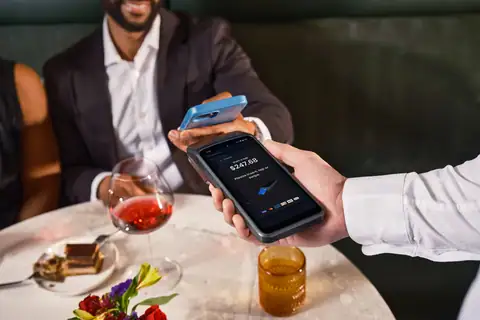
Spending crypto at a till is now ordinary in South Africa, mostly thanks to MoneyBadger, a Stellenbosch company with its own FSCA licence (FSP 53482). It turns your crypto into a rand payment at the till: the shop receives rand, you pay from your exchange app.
- MoneyBadger accepts Luno, VALR, Binance, Bybit and AltCoinTrader, or any Lightning wallet. It has been at Pick n Pay tills since February 2023 (now more than 1,500 stores) and reaches about 700,000 merchant locations through Zapper, Scan to Pay, Ozow and Peach Payments.
- Luno Pay is free, from R1 to R100,000, and lets you pay by QR code in rand or crypto. By October 2025 it had processed more than 50,000 payments.
- VALR Pay works wherever Zapper, Scan to Pay, Ozow or Peach Payments are accepted. VALR’s own examples include Pick n Pay, Makro, Clicks, Dis-Chem, Engen, Shell, FlySafair, Steers and Wimpy.
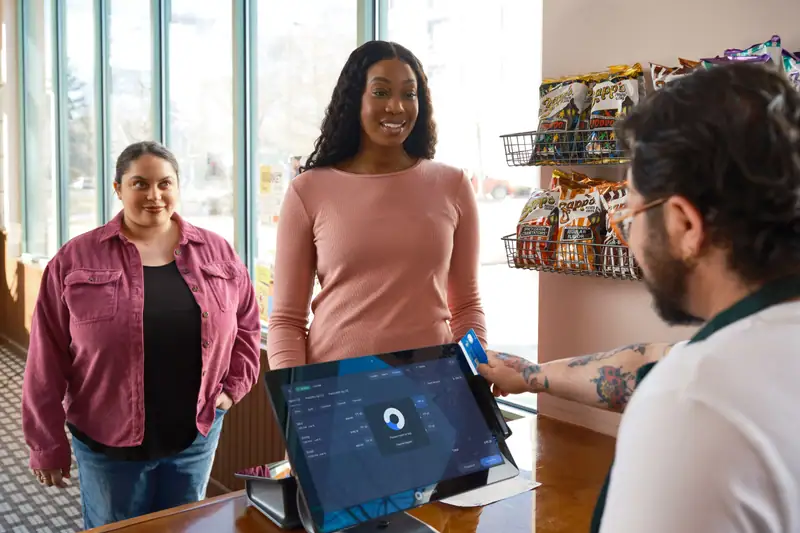
Most of these are small payments: Chainalysis found that half of MoneyBadger payments between April and June 2026 were under US$13. One thing to remember: SARS treats paying for goods with crypto as a barter transaction, so a coffee bought with bitcoin can create a taxable gain or loss. Paying in rand from your Luno balance doesn’t. Our guide to paying with crypto lists more merchants and the record-keeping that goes with it.
Best inside a banking app
Two banks now let you buy crypto without installing a crypto app.
FNB added crypto trading to its share-investing products (Share Saver, Share Builder, Share Investor and Share Zero) on 6 October 2026, run by VALR. You can buy Bitcoin, Ether, XRP, Solana and USDT from R10, 24 hours a day, paid straight from your FNB account. The catch is that the coins are ring-fenced: you can’t send crypto in or out, which FNB puts down to security, compliance and exchange control. Fees weren’t stated in the launch reports.
Discovery Bank has linked to Luno since December 2025. You connect a Luno account inside the Discovery app, move money to the Luno wallet instantly and free of charge, and buy or sell from there; Discovery names Bitcoin, Ether, XRP and Litecoin among more than 50 assets, and crypto balances earn Vitality Money points. Discovery says one in ten of its clients holds crypto.
The other big banks are behind. Nedbank signed a rand-to-USDC deal with Crypto.com on 5 March 2026, to be phased in over 12 months, and it wasn’t live when we checked. Absa’s crypto offering is institutional custody, not retail trading, though Absa Pay works for deposits on Luno and AltCoinTrader. Capitec has no crypto product and blocks ordinary transfers to exchanges, so Capitec clients use Capitec Pay on Luno or AltCoinTrader instead. The full picture is in our guide to crypto-friendly banks.
When a banking app is the wrong choice
Buying inside FNB’s app is the easiest start there is, but the ring-fence that keeps it simple also limits what you can do later. You can’t send the coins to a wallet you control or to another exchange, and you can’t spend them through MoneyBadger, whose wallet list is Luno, VALR, Binance, Bybit, AltCoinTrader and Lightning wallets. If you later want your bitcoin somewhere else, you have to sell inside FNB, a disposal SARS treats like any other sale, and buy again elsewhere, paying the costs twice. Our crypto tax guide explains what that sale means for your return. And because fees weren’t stated at launch, compare the price you’re quoted with the order book on VALR or Luno before a large buy.
Discovery works differently because you link a Luno account, so Luno’s own fee schedule applies, including the 2% instant buy. A banking app suits someone who wants a small, simple position next to their savings and doesn’t plan to move it. If you might want a hardware wallet, a till payment or a cheaper exchange later, start on a crypto app instead.
App security settings you should switch on
A crypto app on your phone is a bank account that can’t be reversed. Most of the South African losses we read about didn’t come from exchanges being hacked; they came from people being talked into handing over access.
Do these on day one
- 1 Switch on two-factor authentication with an authenticator app rather than SMS, wherever the app offers it
- 2 Use the app’s PIN or fingerprint lock if it has one, and a screen lock on the phone itself
- 3 Turn on login and withdrawal notifications if the app offers them
- 4 Never share an OTP or password: real support staff never ask for them
- 5 Never install AnyDesk or any remote-access app because a caller asks you to
- 6 Keep your phone’s operating system and the app updated
- 7 Move larger amounts to a wallet you control, and keep its seed phrase offline
That fifth point is not hypothetical. In the Wessels v Petrus case heard in the Pretoria High Court, scammers posing as Capitec’s fraud department used AnyDesk to take R960,960 from a 67-year-old pensioner in 23 transactions, and paid it into a crypto P2P seller’s bank account.
Two-factor authentication stops someone who has your password; it doesn’t stop you from approving a transfer yourself, which is why phishing calls and messages work. An exchange app is a custodial wallet: the company holds the keys. That is fine for small amounts and active trading, but for savings you don’t plan to touch, a wallet where you hold the seed phrase removes the exchange from the picture. Our crypto wallets guide explains the options.
If your phone is lost or stolen
A crypto app on a stolen phone is only a problem if the thief gets past your locks, but act quickly and in this order. Call your network provider to block the SIM, so nobody can receive your SMS one-time PINs on a replacement card. Then, from a computer or another phone, log in to each exchange’s website, change your password and ask support to lock the account until you have a new device. Do the same with your bank, since your banking app was probably on the same phone.
The authenticator app is the snag. If your 2FA codes lived only on the stolen phone, you’ll need the backup codes you saved when you switched 2FA on, or the exchange’s reset process, and you should expect to prove your identity again. Write those backup codes on paper today rather than keeping them in your photos.
A self-custody wallet works the other way round: nobody can lock it for you, but nobody needs to. Install the wallet app on a new device, restore it with your seed phrase and, if there’s any chance the old phone can be unlocked, move the funds to a brand-new wallet with a new seed phrase.
What to check before installing
Five checks take ten minutes and filter out most bad apps.
-
Check the developer name on the store listing
Fake apps copy real logos. The Luno app’s seller is Luno Pte Ltd and the CEX.IO app’s developer is CEX.IO LTD. Notice that the developer name won’t always match the South African licensed company (Luno’s local licence sits with Luno (Pty) Ltd), so the next check matters too.
-
Look up the FSP number yourself
Find the licence number on the company’s website and search it on the FSCA register. Our guide to FSCA-licensed crypto exchanges walks through it, and also explains what “processing” means for Binance.
-
Make sure your bank can pay it
Capitec clients need Capitec Pay (Luno, AltCoinTrader). PayShap is not accepted by any exchange we could verify on 17 November 2026, whatever some sites say.
-
Find the fee for the button you'll actually press
The quick-buy button costs 1.6% to 2% on the big local apps, and card purchases in rand about 3.9% on local exchanges (offshore apps can’t be funded with a South African card). If the app doesn’t show the fee before you confirm, look it up first.
-
Test a small withdrawal
Before you deposit real money, buy R100 or so, sell it and withdraw to your bank. An app that makes this hard is telling you something.
Fake apps and websites that borrow a real company’s name are a known pattern: the FSCA warned in April 2024 about “Coin Max”, which claimed a connection to Bybit. If anything about an app feels off, check our crypto scams guide before you deposit. Choosing the best app to buy crypto in South Africa is mostly about matching the payment route to your bank and then avoiding the expensive button.
Ready for the wider coin list?
Buy USDT or BTC in rand on a local app, send a small test amount to our top-rated exchange, and check it arrives before sending more.
Prefer EFT? See ZAR depositsOur #1 pick · US FinCEN MSB · NMLS 1804170 · UK FCA reg. FRN 1007192
Frequently asked questions
What is the best app to buy crypto in South Africa?
Is there a crypto app inside my banking app?
Which crypto app accepts Capitec Pay?
Are crypto apps safe?
Can I pay in shops with a crypto app?
Sources we checked
- ↗Apple App Store (South Africa) — CEX.IO: Crypto Wallet/Exchange
- ↗Apple App Store (South Africa) — Luno
- ↗CEX.IO — Payment methods and card limits
- ↗SARB — Currency and Exchanges Manual for Authorised Dealers (B.16(E)(v))
- ↗Luno — South African fees and limits
- ↗VALR — Fees
- ↗VALR — VALR Pay
- ↗AltCoinTrader — Deposit fees
- ↗Altify — Fees
- ↗Discovery Bank — Crypto with Luno in the banking app
- ↗MoneyBadger — Pay with crypto in South Africa
- ↗FSCA — Check if a firm is authorised (FSP search)
Risk note: crypto prices can fall sharply and you can lose all the money you put in. This page is general information, not financial or tax advice. Fees, limits and licences change; check them on the provider’s site and the FSCA register before you act.